Built to find root cause — not just read logs
Next-Trace turns the logs your machines already produce into a clear account of what happened. Click through how a diagnosis comes together.
Every system's logs in one place
Drop in logs from every controller and PC — Next-Trace detects the format and lines them up automatically.
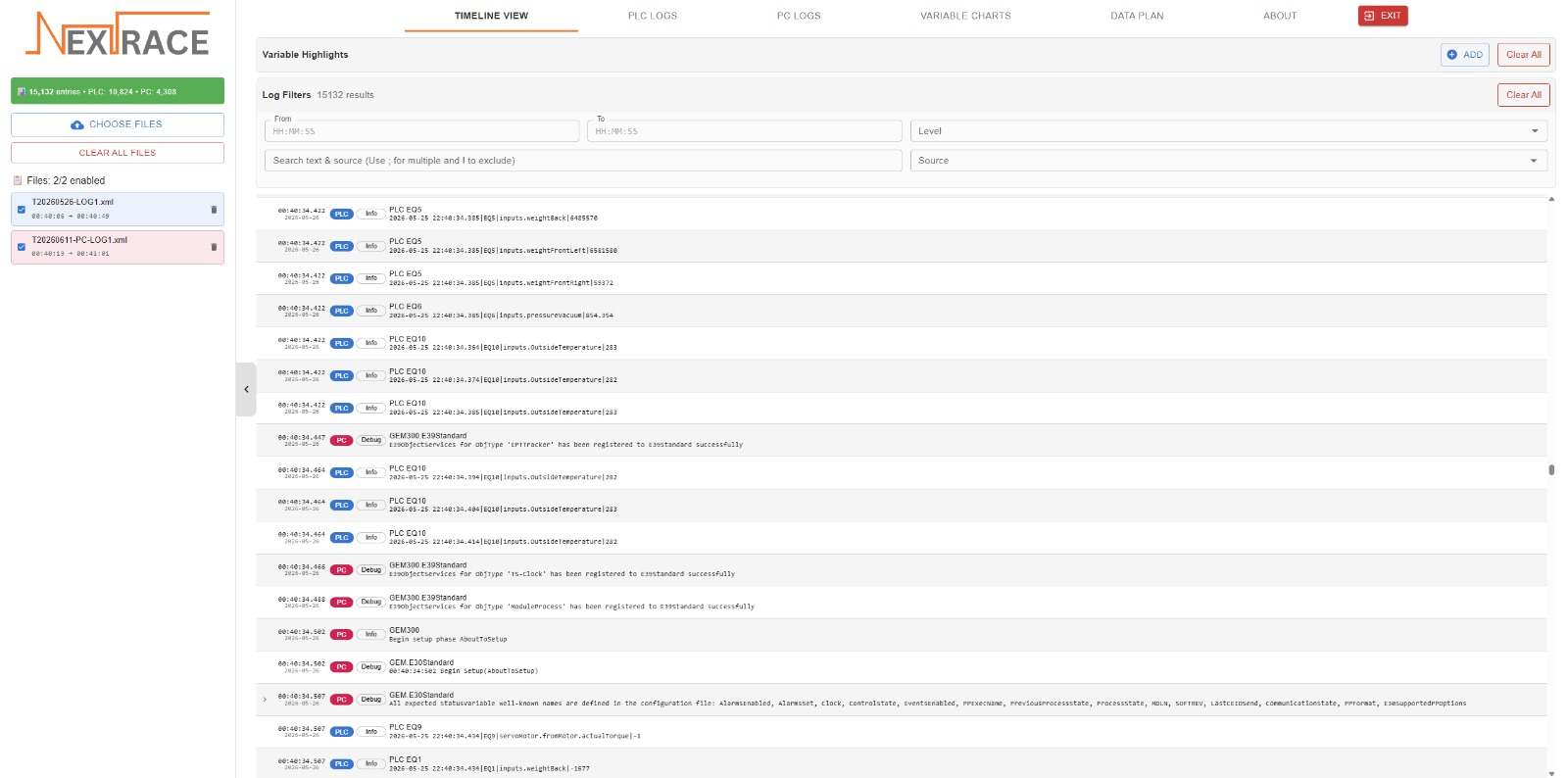
Multi-File Upload
Upload multiple log files simultaneously with drag-and-drop or file browser selection.
- Up to 20 files per upload
- Maximum 50MB per file
- Up to 100 total files in workspace
- Text based format with automatic validation
File Type Detection
Intelligent content analysis automatically identifies log file types without manual configuration.
- Detects PLC variable logs by pipe-separated format
- Identifies PC event logs by state transition patterns
- Recognizes command completion events
- Custom file types and formats can be made available per client needs
Duplicate Detection
Automatic prevention of duplicate file uploads to maintain data integrity.
- Checks filename against existing uploads
- Prevents accidental re-uploads
- Keeps workspace organized and clean
- Automatic rollback on parsing failures
File Management
Full control over your uploaded files with enable/disable toggles and selective deletion.
- Toggle files on/off to include or exclude from queries
- Delete individual files without affecting others
- Clear all logs with single confirmation
- View file metadata: entry count, timestamp range, type
See Next-Trace reconstruct a machine failure
In a 30-minute walkthrough, we'll show you how Next-Trace pieces together what happened across every system on one timeline — and how much faster your next root-cause analysis could be. No commitment.
Typically a 30-minute call. No preparation needed.